- Published on
BlobProviderException: No supported provider for '' is configured, and the Blob template field
Introduction
I recently started work for a client that utilized Sitecore XP 10.1. I was handed a copy of a VM that already had the tools and software necessary to hit the ground running and get to work on tickets. My first ticket involved curating a brand new content page composed of components that already existed in the solution. A purely content driven task should really be done by a content author, but that's neither here nor there. Either way, this should have been a simple task, right?
The problem
When I tried to publish my newly curated Sitecore content page, I was met with the following error:
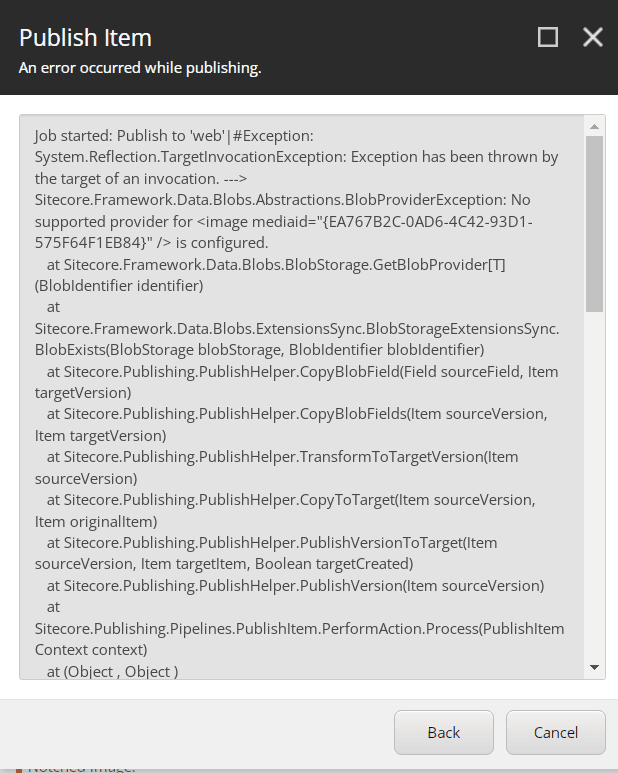
Ok. That's new. I did what I always do with errors I haven't encountered in the past, and I took to Google to find out what others may know about this issue. This yielded a good list of results, the first of which was this Stack Overflow post on a similar issue. In this post, there is an answer to the issue that suggests running the following queries to identify any problematic content items, and deleting the items:
SELECT ItemId FROM [dbo].[SharedFields] where FieldId='{40E50ED9-BA07-4702-992E-A912738D32DC}' and [Value] = '' or [Value] is null
SELECT ItemId FROM [dbo].[VersionedFields] where FieldId='{40E50ED9-BA07-4702-992E-A912738D32DC}' and [Value] = '' or [Value] is null
SELECT ItemId FROM [dbo].[UnversionedFields] where FieldId='{40E50ED9-BA07-4702-992E-A912738D32DC}' and [Value] = '' or [Value] is null
The gist of the issue was that I had media items that do not have any media associated with them. Ok, so if I run the above queries and search for an item that gets returned, I should find a media library image with no image attached, right? In my case, all of the items that were coming back from the SQL query all had images attached. I probably don't want to delete these media items either, or I would end up with a site with references to a bunch of missing images! Subsequent search results on Google referenced running the above queries as well. So, now what?
I tried downloading and reattaching the images to the media library items, but to no avail. When I tried to republish the content item that referenced the media library item that was throwing the error, I would still get the BlobProviderException error in the publishing window.
But then, I noticed something. I could publish the problematic media library items without getting an exception, but when I tried to publish items that referenced the media library items I would get the BlobProviderException error. Was the issue on a data template that I was using for my Sitecore content page?
The Solution
I drilled down to a datasource template that was being referenced in my Sitecore content page item. Within that datasource template, there was a reference to an image field. When I examined that image field a bit closer, I noticed that there was a shared checkbox template field called Blob and it was checked.
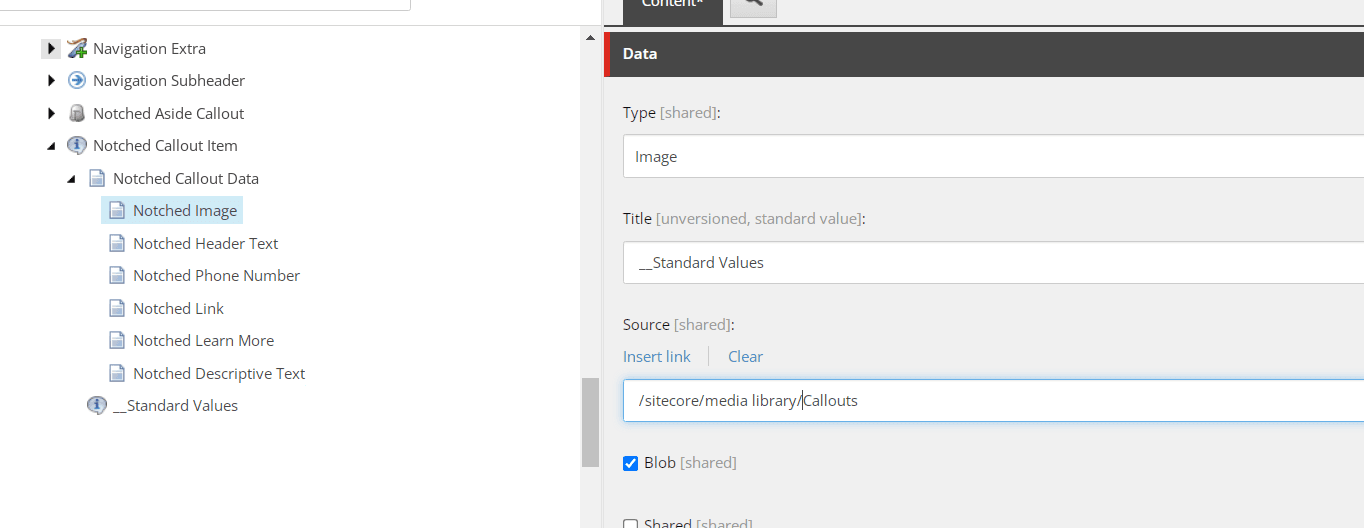
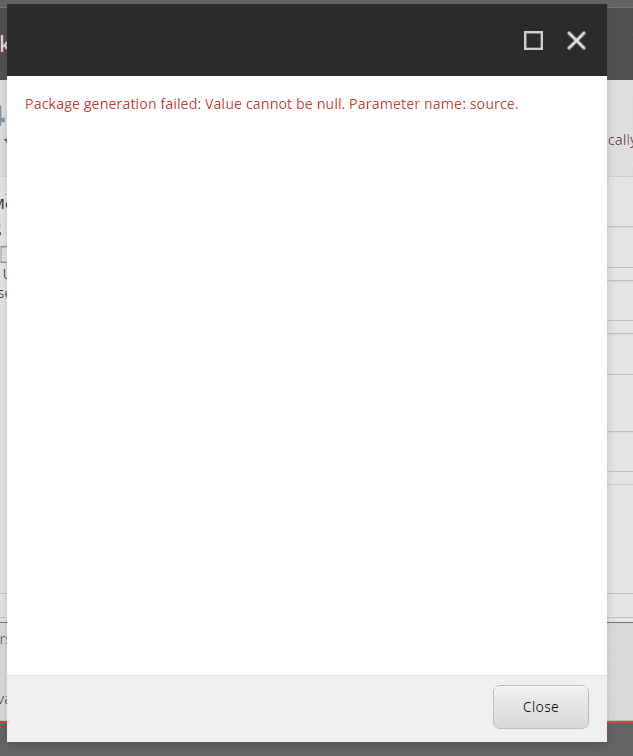
I have ran into this checkbox in the past, and it caused issues with package generation when generating Sitecore packages for images that had the Blob template field checked.
When I unchecked the Blob checkbox, I was able to successfully publish my content item. Cool!
The Blob Template Field
But why was this Blob checkbox checked in the first place? A quick Google search yields a few relevant results. This archived document by Sitecore references the Blob field as something necessary for the Attachment field type to be utilized. Ok, what's an Attachment field type?
When I searched for what the attachment field type is, I wound up in the documentation for Sitecore XP. In that documentation there's a description for the Attachment field type with a very subtle warning message:
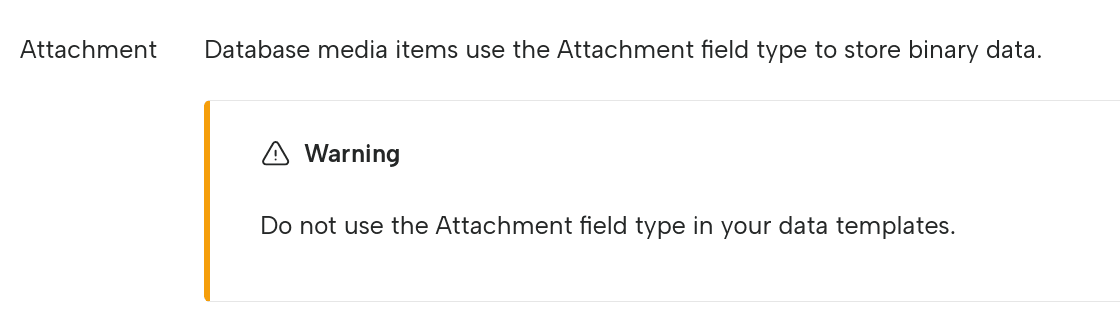
Ominous. I came across another article from December of 2012 that spoke about the usage of this attachment field. The article utilized the attachment field for a customer that was using Sitecore 6.6.
I also found this article that talks about a similar issue with the Blob checkbox template field in the case of a Sitecore upgrade from 7.2 to 10.1.
Conclusion
My theory is that the Blob checkbox has persisted for the datasource template field that I was using since an older version of Sitecore. In the end, I concluded that this Blob checkbox isn't relevant for my use case and could be safely unchecked so that publishing could operate without errors.